Getting Started: Adding Your First Tapita Section
Understanding Theme Sections
- Theme sections are modular, customizable elements within Shopify theme templates. These sections provide merchants with the ability to design and structure the content of their online store pages without requiring direct code editing.
- Tapita Theme Sections Builder provides a library of professionally designed sections to enhance your store's visual appeal and functionality, allowing you to enhance your store's design, simplify content management, and create a professional brand image.
How to Add a Section to Your Theme
Step 1: Install Tapita Theme Sections Builder
- Go to the Shopify App Store and install the Tapita Theme Sections Builder app.
- After installation, you'll see quick tutorials to help you get started.
Step 2: Select a Section from the Library
- In the Section Library, find the section you want to use.
- Click the eye icon under the section you're interested in.
- You'll find overall information about the section, along with its key features here.
Step 3: Click the "Install" button, and select the theme you want to add it to.
Step 4: Open Your Theme Editor
- From your Shopify admin, go to "Online Store" > "Themes."
- Find the theme you want to edit and click "Customize."
Step 5: Add the Section to Your Page
- Go to the page you want to edit (e.g., Homepage, Product page).
- Click "Add section".
- Find the Tapita section you installed earlier and select it.
Step 6: Congratulations! You've added your first Tapita section!
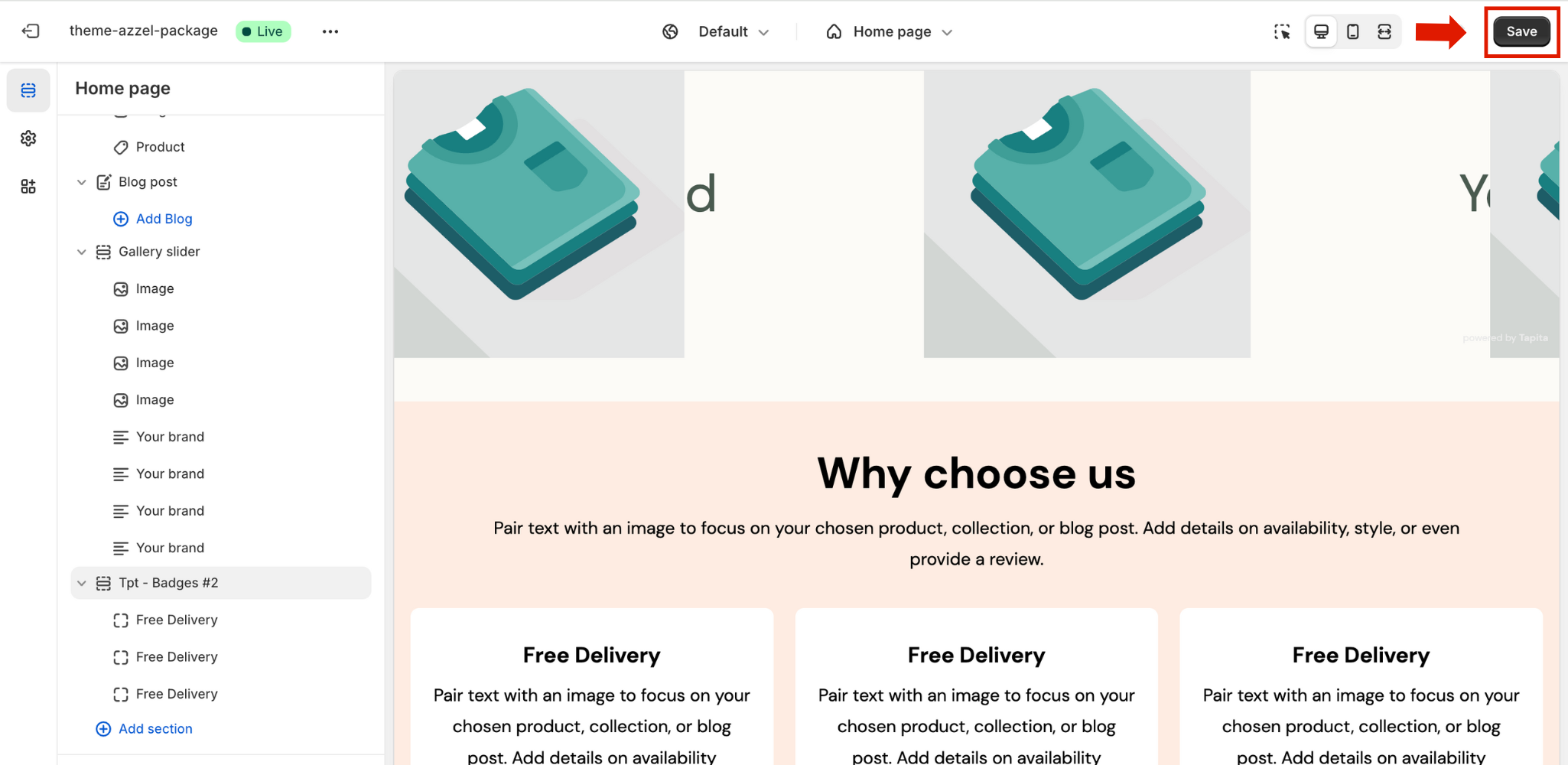
- Now it's time to customize the section to match your brand and style.
- Go to Tapita Help center to see customization guides for all sections within the Tapita Theme Sections Builder documentation.
Step 7: Click "Save" in the top right corner of the Theme Editor to save your changes.
Pro tip: Take your store to the next level with the Azzel Theme! Azzel is our native Shopify theme, optimized for SEO, speed, and fully compatible with all Tapita sections. Explore now!
If you have any questions or need assistance, please don't hesitate to contact Tapita support!